Since my last post I've been working more with Flash and I've figured out how to track the coordinates of a marker and print it out (to help me to code what Flash should do when a certain marker is at a certain coordinate).
I've got my perspex sheet, it's 4ft x 2ft which is a bit longer than I'd planned - 4ft is a bit of a stretch (for most people anyway!) so I might use the end of the table for something else...
I met with Annette to show her what I've done so far, she also helped me a lot with the thesis and I left the meeting feeling a lot less stressed! I also got some more ideas from both her and Colm which have given me a lot to think about.
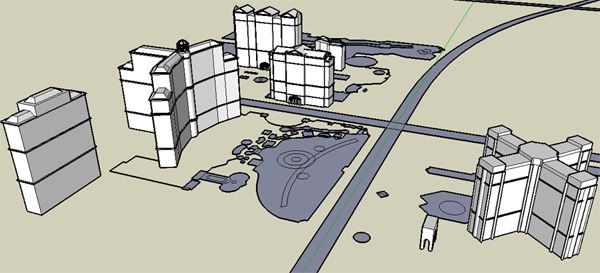
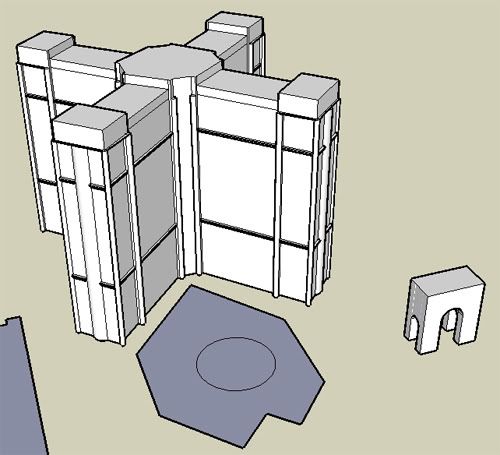
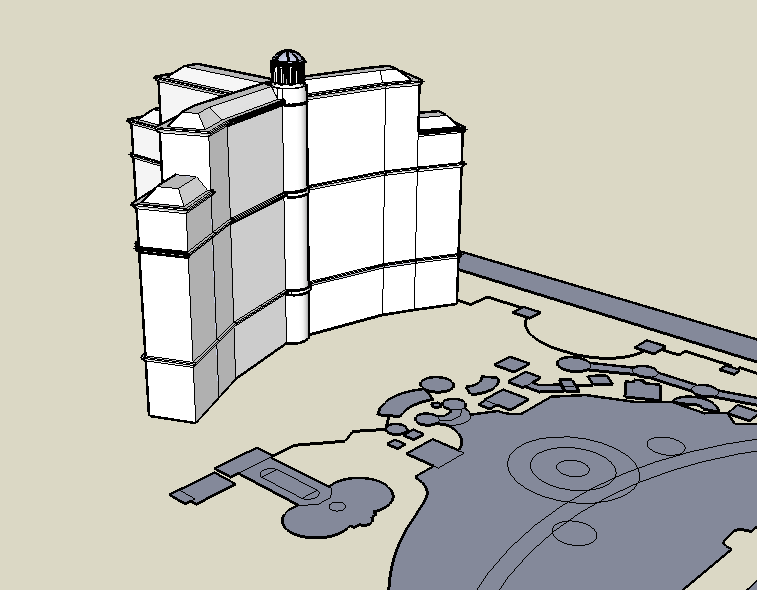
For the thesis I made a SketchUp model of what the final table should look like (click for a bigger pic).
The triangular marker is what the user moves to control a Flash animation of the road - as they move forwards or backwards, so does the animation. The buildings and small roads are made from card. For more information on a building, the user rotates the triangle/arrow head to point at the building's target. They can use the square markers to choose the type of information they want to view (video, pics, text) and the circular markers to control the information (play, stop, next pic, previous page, restart, etc). At the moment I'm trying to figure out what kind of frame the table needs and how to make it. Hopefully when it's finished it'll look and work like the model above :)
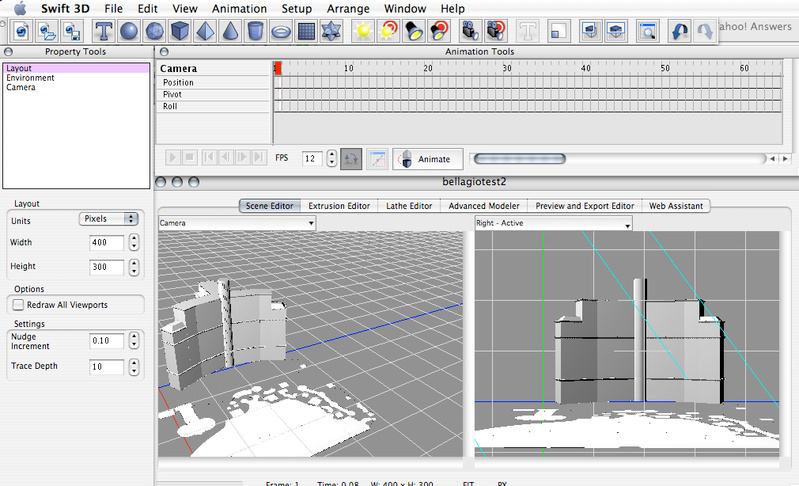
I ended up using a different method than I had planned. I'm still using the same software, Swift 3D, but in a different way. Originally, I exported the model using Papervision3D, which resulted in a great interactive 3D flash file but because the model was generated after it was executed there was no way to add any information on top of the map.
Instead, I animated a walkthrough of the model in Swift 3D and exported a swft file to flash. This way, each frame of the animation has its own frame on the timeline in Flash and I can see the model on the stage.
I'm still looking into the original idea but I think this might end up being the best option.
Below is a video of the walkthrough (it's a lot less blurry in real life!). I want to go back to the map soon to add some more detail and make it look more realistic.
For the rest of the week I'll be working on tracking a marker's X and Y coordinates in Flash using reacTIVision and applying this to the model. I'll also be busy working on the next draft of the thesis for the end of the week.
I've finally finished all of the map's major structures. Last week I set myself a deadline to finish the map by the end of the week so I could get on with the next part of the project. It wasn't easy considering it had taken weeks to get to that point (with 14 buildings left to do) but after a very long week it's finally done.
For now, I'm going to go back over all of the buildings and add in the last pieces of detail (windows, etc.) and then some colour!After that I'll be exporting it to Flash (in the same way I talked about before) and setting up the webcam and ReacTIVision in Flash.
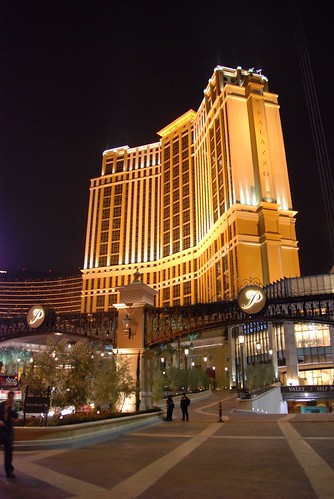
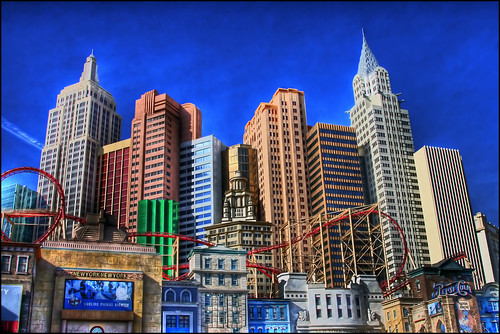
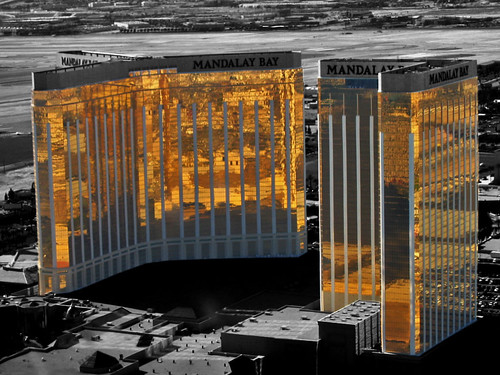
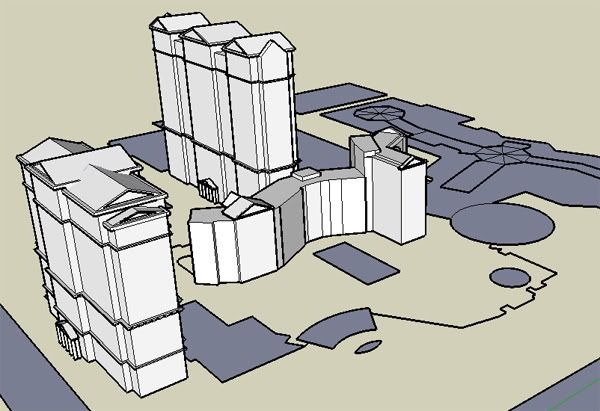
Here are some screenshots and comparisons of the newest models:
The entire map now: Palazzo (part of the Venetian): Image by this user on Flickr.
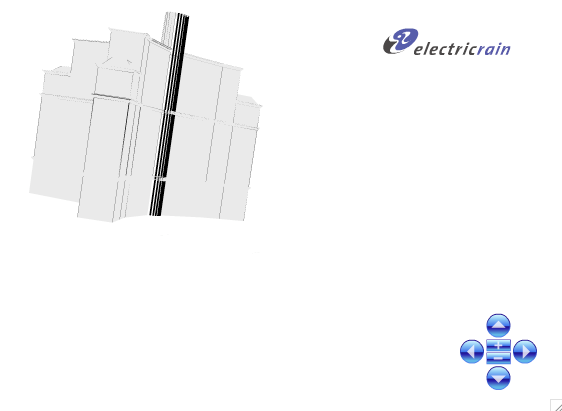
Last week, I managed to export a SketchUp model into Flash! This was an important step so I'm glad it worked eventually (with a relatively simple model).I used a piece of 3D modeling software called Swift3D from Electric Rain. Although I didn't use it for any modeling, it allowed me to import a 3DS file (which I exported from SketchUp Pro) into Swift3D. I could then export this file from Swift3D with Papervision3D which resulted in a Flash file.
Swift3D environment: In Flash, I could rotate the 3D model by clicking and dragging (as I'm used to in SketchUp), using the mouse wheel or using the controls which Papervision3D placed in the bottom right corner.
Model in Flash: There were a couple of minor problems:
A curved surface disappeared
Some lines disappeared (this should be solved when more detail and colour is added to the SketchUp model before exporting)
My first few attempts at opening the 3DS model in Swift3D were unsucessful because the model was too large (because I'm modeling the buildings to scale). This was solved by reducing the scale. As modeling to scale helps me to keep the buildings in proportion, I'll continue to use the same scale until I have to export the model when I'll shrink it down to fit in Swift3D.
Hopefully this process will also work for a much more complicated and larger model, which the finished one will be!
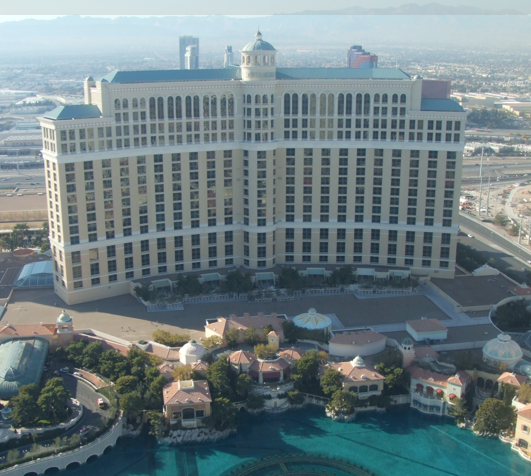
The first building is now complete (in as much detail as I want it to be at this stage). A few others have been started but the Bellagio is done for now.
Here's what the real thing looks like: (My own image, which is why it's more than a bit blurry!)
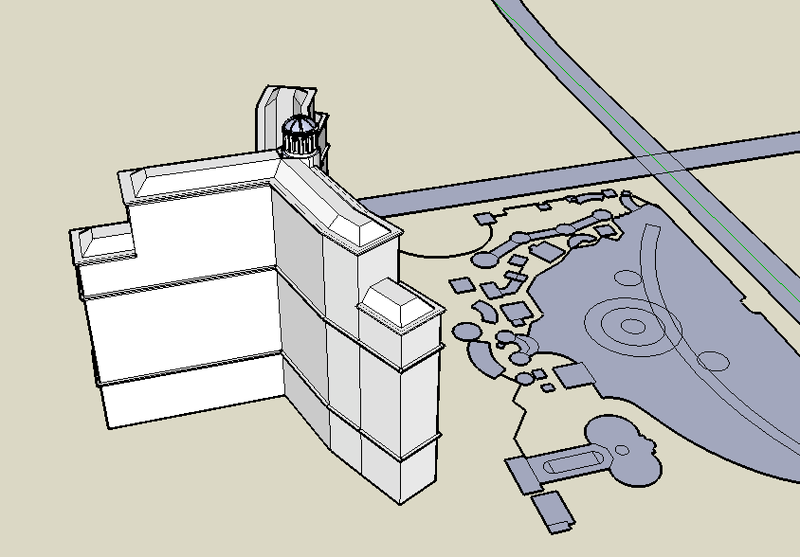
And my SketchUp version:
Although it looks a bit simple and bare at the moment there were more than a few frustrating moments when it came to the finer details. I'm happy with how it turned out though.
The next step is to use this model to experiment with the process of exporting a 3D model to Flash which isn't as straightforward as I'd like. There are a few possible ways to do this which I'm looking into. Another reason why I didn't add too much detail and colour at this stage is that some of this detail may be lost while I'm exporting it.
I'm working on the map of the city at the moment. The book I talked about earlier has been a big help - I've found a lot of tips in it which has made the process easier, I've learned how to import screenshots from Google Earth into SketchUp as guidelines and it's also helped me to learn how to export the SketchUp map to Flash. This seems to be quite a complicated process and I'm planning on doing some more research into this very soon and try to export some more simple models into Flash to see how it works.
One problem I've been having with SketchUp is that it has been very slow already and this will probably get worse as I add more detail. I'm thinking of splitting the model into individual files - one file per building and combining them at the end.
One of the parts of the project that I'm most looking forward to is learning more about SketchUp. I'd like the map to look as realistic as possible and to do the location justice so I've found a great book to help me: Google SketchUp for Dummies by Aidan Chopra. I haven't had a chance to read much of it yet but from what I've seen from flicking through it I think it'll help a lot. There's a lot of small tips and tricks that will save me a lot of time. Aidan Chopra's official site for the book has a list of the chapters and links to really good video tutorials. He also has a YouTube account for the videos.
Even looking at the simplest tutorials I've picked up some tips so I think I'll be working my way through all of them over the next few days before I get to the more complicated parts of building the map. I think video tutorials are the best way to learn any software and it's one of my favourite things about YouTube. Here's a simple tutorial of Aidan's for beginners as an example:
 The triangular marker is what the user moves to control a Flash animation of the road - as they move forwards or backwards, so does the animation. The buildings and small roads are made from card. For more information on a building, the user rotates the triangle/arrow head to point at the building's target. They can use the square markers to choose the type of information they want to view (video, pics, text) and the circular markers to control the information (play, stop, next pic, previous page, restart, etc).