The model is finally in Flash :)
I ended up using a different method than I had planned. I'm still using the same software, Swift 3D, but in a different way. Originally, I exported the model using Papervision3D, which resulted in a great interactive 3D flash file but because the model was generated after it was executed there was no way to add any information on top of the map.
Instead, I animated a walkthrough of the model in Swift 3D and exported a swft file to flash. This way, each frame of the animation has its own frame on the timeline in Flash and I can see the model on the stage.
I'm still looking into the original idea but I think this might end up being the best option.
Below is a video of the walkthrough (it's a lot less blurry in real life!). I want to go back to the map soon to add some more detail and make it look more realistic.
For the rest of the week I'll be working on tracking a marker's X and Y coordinates in Flash using reacTIVision and applying this to the model. I'll also be busy working on the next draft of the thesis for the end of the week.
Showing posts with label Swift3D. Show all posts
Showing posts with label Swift3D. Show all posts
Monday, July 14, 2008

Monday, June 30, 2008
Swift3D
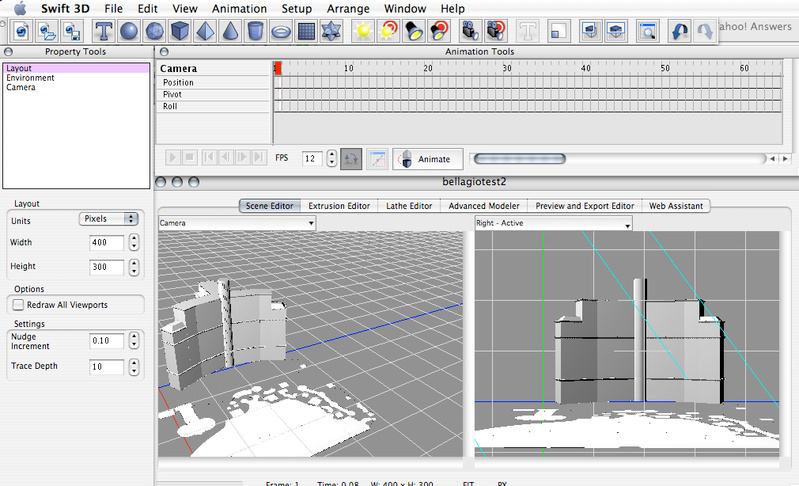
Last week, I managed to export a SketchUp model into Flash! This was an important step so I'm glad it worked eventually (with a relatively simple model). I used a piece of 3D modeling software called Swift3D from Electric Rain. Although I didn't use it for any modeling, it allowed me to import a 3DS file (which I exported from SketchUp Pro) into Swift3D. I could then export this file from Swift3D with Papervision3D which resulted in a Flash file.
Swift3D environment:
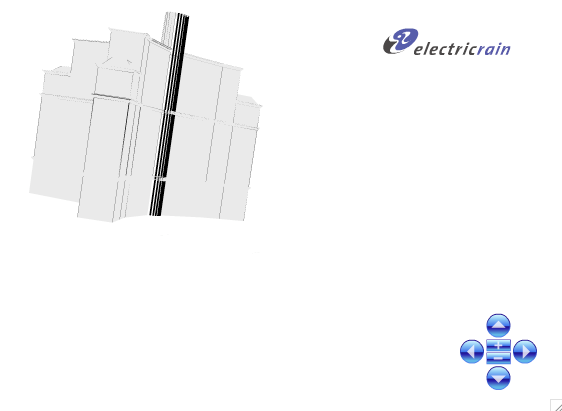
In Flash, I could rotate the 3D model by clicking and dragging (as I'm used to in SketchUp), using the mouse wheel or using the controls which Papervision3D placed in the bottom right corner.
Model in Flash:
There were a couple of minor problems:
Swift3D environment:
In Flash, I could rotate the 3D model by clicking and dragging (as I'm used to in SketchUp), using the mouse wheel or using the controls which Papervision3D placed in the bottom right corner.
Model in Flash:
There were a couple of minor problems:
- A curved surface disappeared
- Some lines disappeared (this should be solved when more detail and colour is added to the SketchUp model before exporting)
- My first few attempts at opening the 3DS model in Swift3D were unsucessful because the model was too large (because I'm modeling the buildings to scale). This was solved by reducing the scale. As modeling to scale helps me to keep the buildings in proportion, I'll continue to use the same scale until I have to export the model when I'll shrink it down to fit in Swift3D.
Subscribe to:
Posts (Atom)